Never miss a thing.

Every open review, every important detail, all on one dashboard.

Who's next?

No more pointing fingers to figure out why a review has stalled. See who's holding up a review from the dashboard and in every code review. We'll herd the cats while you stretch your back.
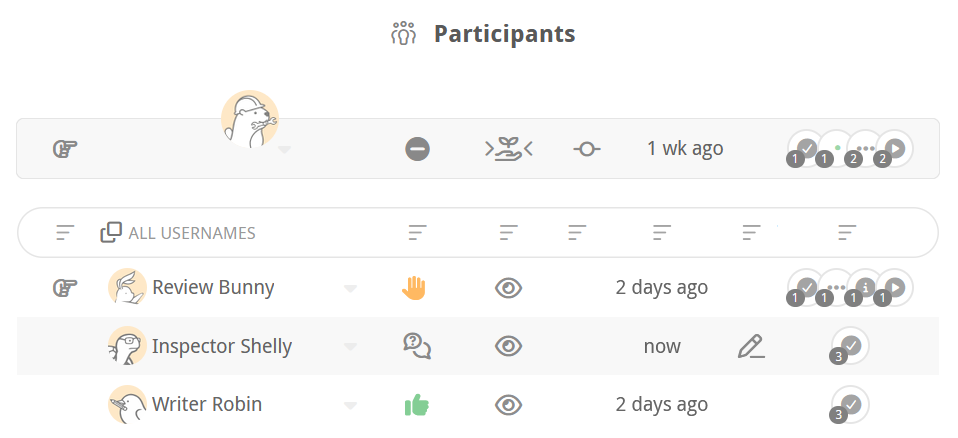
Reviewable participants panel showing per-reviewer status

What's next?

We track who's seen what across every file and revision, and only show you what you need to see… Unless you want to see everything, in which case — there's a button for that!
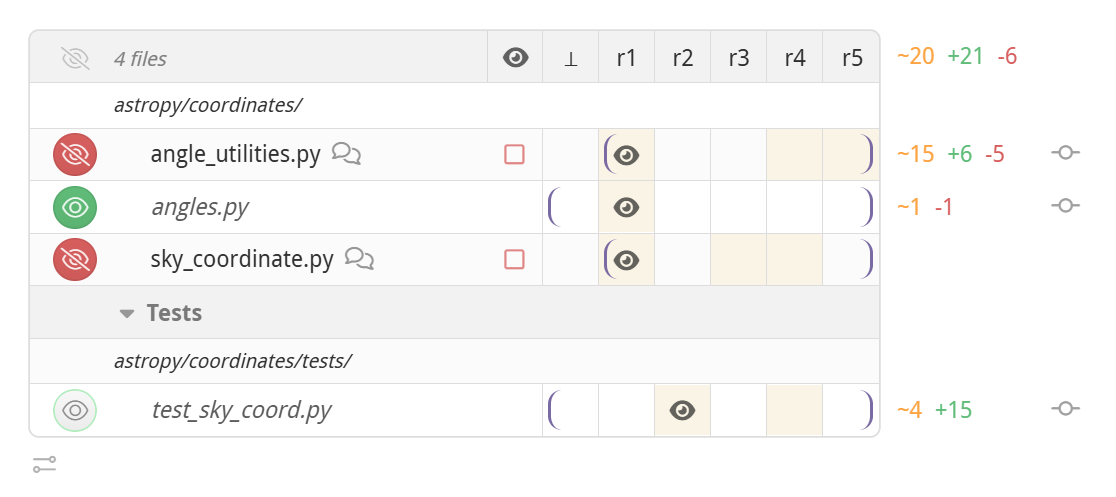
Reviewable file matrix tracking per-reviewer review progress

Scroll no more!

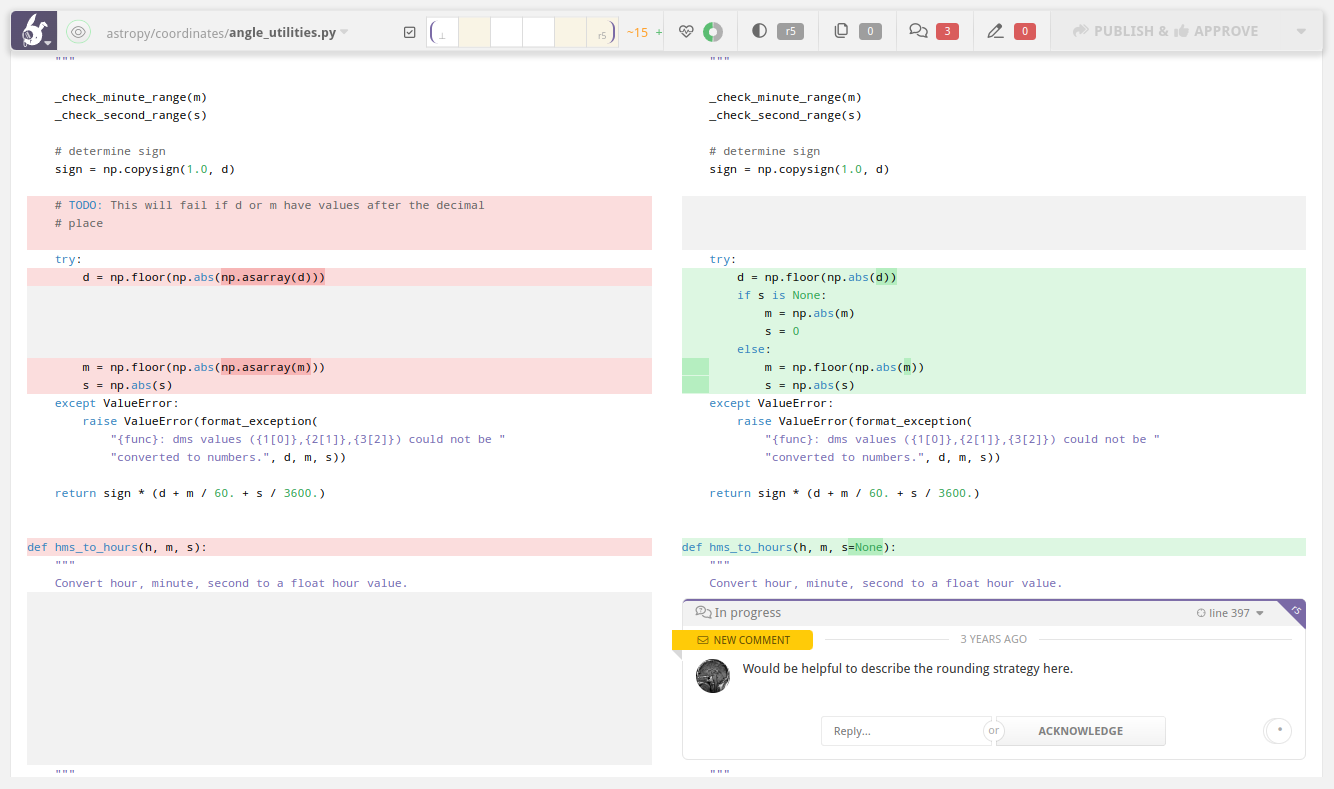
Speaking of buttons: we've got keyboard shortcuts, one-click navigation to every file and discussion, a flexible sidebar, customizable diffs… all to help you navigate large code reviews with ease.

Take a stance.

A comment about a potential bug and a comment about a clever solution are not the same thing. Flag your stance on each discussion, and see everyone else's at a glance, so you always know what's standing between you and that green button.
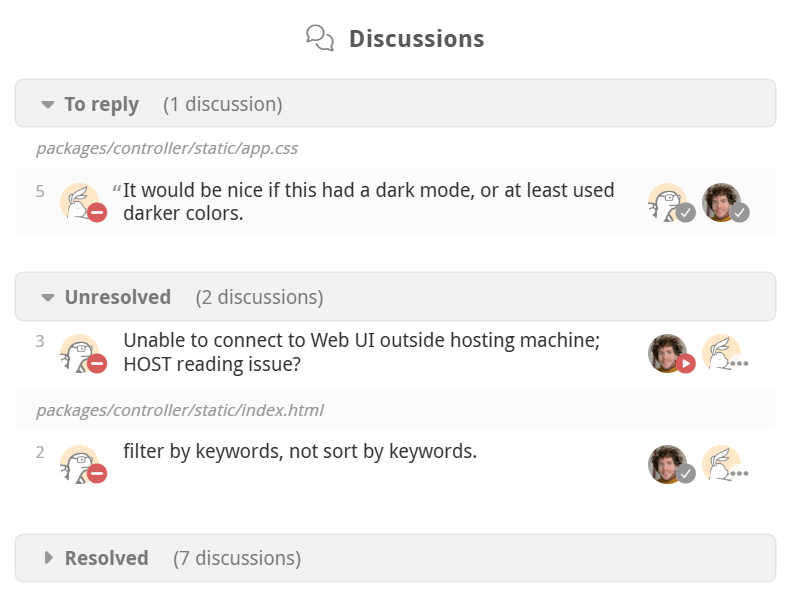
Reviewable discussion matrix showing participant dispositions per thread

On your marks, get set, MERGE!

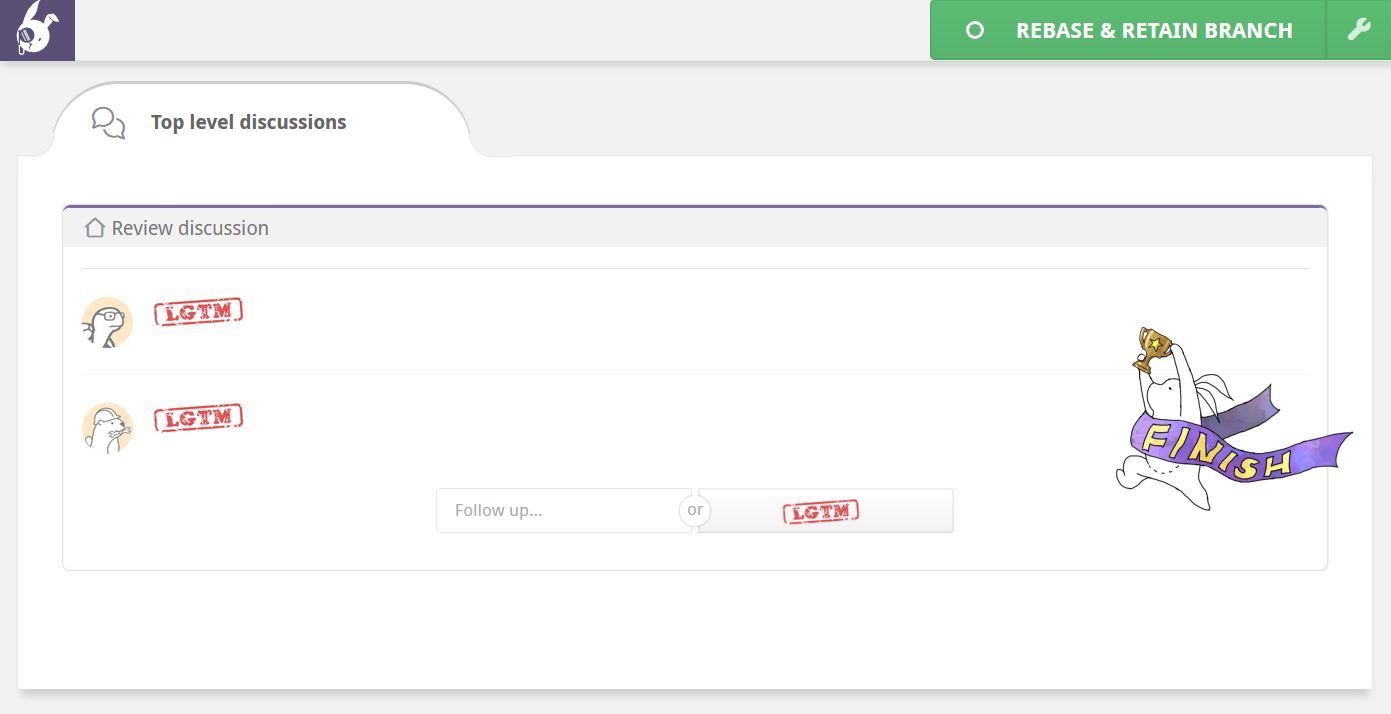
But only if the review has been approved by at least two engineers, and it's not a Friday… or a Thursday. Merge on your terms using custom JavaScript completion conditions.
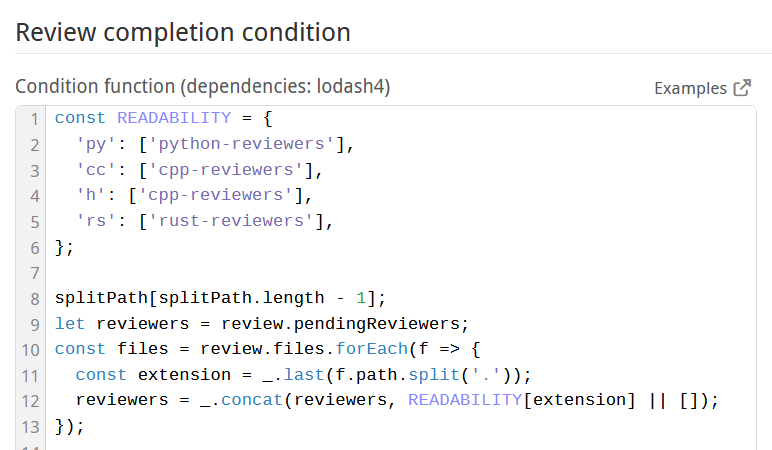
Reviewable completion condition editor with custom merge rules
A completed Reviewable code review showing LGTM stamp approvals and a green Merge button

Everything Reviewable Can Do

Dashboard & Review Management

  • Review dashboard: see all your open GitHub PRs — with authors, reviewers, status checks, and comment counts — in a single auto-updating list, instead of jumping between GitHub tabs.
  • Advanced filtering: filter your PR list instantly by reviewer, label, review state, or free-text query to find the reviews that need your attention.
  • Waiting on tracking: see at a glance who needs to act next on any PR, so reviews don't stall without anyone noticing.
  • Participant overview: view every participant in a review with their individual status, so you always know who's seen it and who still needs to weigh in.
  • Admin Center: connect GitHub repositories and configure review styles, badge placement, and status posting per repo — from the Admin Center GUI or a committed .reviewable/settings.yaml file, with org-wide defaults configurable from a single master repository.
  • In-app merge: merge a GitHub PR directly from the Reviewable review page — choosing merge, squash, or rebase style and optionally deleting the source branch — without switching back to GitHub.
  • Deferring reviews: defer a review that's waiting on you so it stops appearing as urgent, without losing track of it — Reviewable automatically re-activates it when new comments or commits arrive.

Diff & Revision Management

  • Per-reviewer incremental diffs: show each reviewer only the changes they haven't seen yet, tracked individually per file and revision, so re-reviewing after new commits doesn't mean re-reading already-approved code.
  • Diff display: compare any two revisions in unified or side-by-side layout, with whitespace-only and base-branch-only changes auto-collapsed so the diff shows only what the PR author actually changed.
  • File matrix: see every file across every revision in a single grid showing who has reviewed what, so you can track progress on large PRs without opening each file individually.
  • Bad merge detection: flag when a base change introduces changes that weren't part of the reviewed diff — catching unreviewed code that can slip in during conflict resolution.
  • Commit history preservation: retain force-pushed commits and all their associated comments indefinitely, so review history is never lost after a rebase or amend.
  • File grouping: group related files under named categories in the file matrix for easier navigation in large PRs; Reviewable auto-groups renamed and reverted files, and custom groups can be defined per repository.

Review Rules & Workflow

  • Custom completion conditions: define exactly when a PR is ready to merge using custom JavaScript — checking reviewer combinations, labels, resolved discussions, approval counts, durations, or any PR metadata from GitHub.
  • Team workflow customization: customize team-wide review behavior: define who needs to act next, set up multi-phase gated approval flows, template merge commit messages, and configure file review phases.
  • Per-file ownership rules: assign reviewers to specific files or directories using custom JavaScript logic — supporting teams, individuals, named scopes like "security", and conditions beyond what GitHub's CODEOWNERS supports.
  • Completion playground: test and iterate custom completion conditions against any real PR in a live sandbox before enabling them for your repository.
  • Vendored file handling: automatically identify vendored and generated files in a PR, with options to collapse their diffs from view or mark them all as reviewed in one click.

Comments & Discussions

  • Comment persistence: keep inline comments anchored to the correct location in the diff across revisions and rebases, so discussion threads don't get orphaned or lost when the code changes.
  • Dispositions: Flag your stance on every discussion thread — blocking, satisfied, working, and more — automatically updated based on your interactions and keywords like "LGTM" or "Bug", or set manually.
  • Discussion matrix: view every discussion thread in a single matrix showing participants, stances, and resolution status — so you can see at a glance what's still open and who needs to act.
  • Consensus resolution: a discussion is resolved only when no participant is blocking it — unlike GitHub, where anyone can close a thread regardless of whether the underlying concern was addressed.
  • Batched publishing: write all your comments as drafts and publish them to GitHub in a single batch, so reviewers receive one notification instead of many.
  • Publish on Push: automatically publish a PR author's draft comments to GitHub when they push a new commit, so reviewers always see the latest notes alongside the updated code. See our blog post for more details.
  • Inline comment directives: use text directives in any comment — like +label:needs-design, +reviewer:@inspector-shelly, or +milestone:v2 — to update GitHub PR metadata without leaving the review.
  • Live updates: see new comments and status changes appear in the review in real time, without refreshing the page.

Integrations & Account

  • GitHub sign-in: sign in to Reviewable with your existing GitHub account via OAuth — no separate account, password, or setup required.
  • Slack notifications: receive Reviewable review activity as direct messages in Slack — delivered instantly or in daily batches — with Slack handles matched to GitHub profiles for clear attribution.
  • Data privacy: Reviewable never stores your source code on its own servers — code stays on GitHub, and only review metadata, comments, and settings are cached.
  • Test coverage overlay: view line-by-line test coverage data directly in the diff alongside code changes, using Codecov or a custom coverage URL configured per repository.
  • Stacked PR support: automatically detect and adapt the UI for stacked PRs managed with the spr tool, showing dependency order links and correct per-PR merge status across the stack.
  • Developer support: get support from the engineers who built Reviewable — via in-app chat, email, or GitHub issues — with same-day responses and fixes that larger tools would take weeks to ship.

UI & Customization

  • Collapsible sidebar: resize, collapse, or switch the sidebar between vertical and horizontal orientations; Reviewable remembers your layout preference separately for each screen size.
  • Visual preferences: personalize your diff view with a monospace font, custom color scheme and contrast, line-length margin, and animation toggle — including options useful for accessibility like reduced motion and color adjustments.
  • Keyboard shortcuts: assign custom key bindings to any Reviewable action — jump to the next unreviewed file, navigate discussions, toggle diff modes, and more.
  • Editor deep links: configure a deep-link template to open any file directly in VS Code, IntelliJ, or any local editor from within the diff view.
  • Custom stylesheet: apply custom CSS to the Reviewable review UI for team-wide visual tweaks; a stylesheet generator is available at experiments.reviewable.io.

What are you waiting for?
Take Reviewable for a spin today.

Try a sample review, or sign in and review an existing PR. Free 30-day trial, no credit card required.

or
Contact Us to Get a Demo